


Trusted by 1M+ creators
Change Video Aspect Ratio
Resize your video for YouTube and other social media platforms
No credit card required
4.6
2,100+ reviews















Resize your video online in one click
Add a background image or video to your footage, or replace your original background using VEED's one-click background remover. Upload your video, drag it on top of your chosen background on the timeline, and resize as needed. Works for training materials, marketing content, and green screen recordings — all in your browser, no software to download.
How to change the aspect ratio of your video:
Step 01
Upload or record
Upload your video to VEED or start recording using our webcam recorder. Just click on Record in the Media menu.
Step 02
Change the ratio
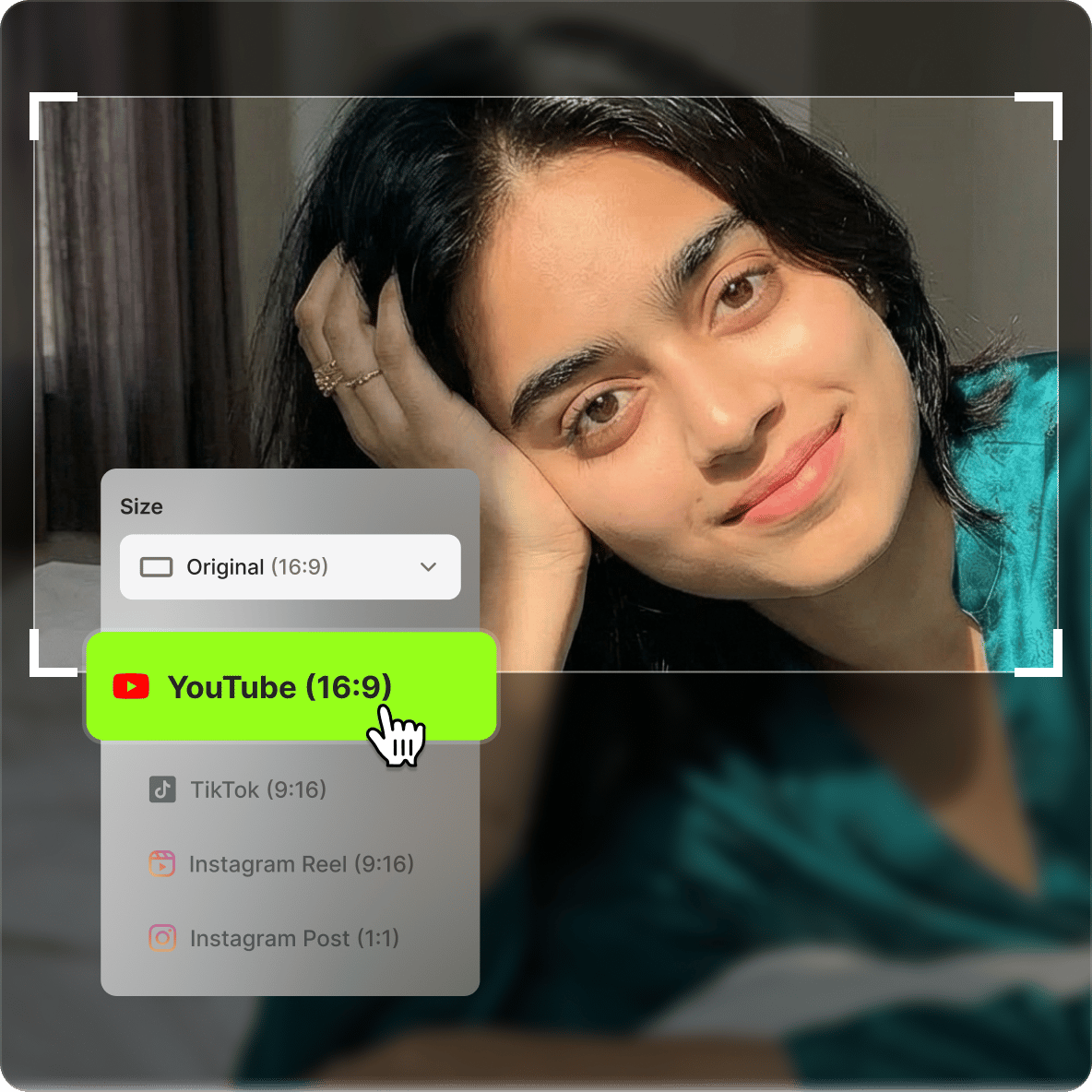
Under 'Settings', use the 'Size' dropdown menu to select from Instagram Story (9:16), TikTok (9:16), YouTube Video (16:9), Twitter (4:5 or 5:4), Pinterest, and more!
Step 03
Export
Click on Export and download your video to your device.
Learn More
‘Change Video Aspect Ratio’ Tutorial
Resize, rotate, and crop your video
Beyond aspect ratio presets, use VEED's editor to rotate and crop your video. Drag and drop to reposition, stretch to fill the canvas, or click Fit to Canvas to resize without distorting the original ratio.
Perfect for social media content creators
VEED includes preset sizes for Instagram Stories, square video, YouTube, Facebook, TikTok, Pinterest, and more. Select a platform from the dropdown and the editor adjusts the canvas automatically — no manual calculation needed.
Free online video editing platform
Changing the aspect ratio is one step in a broader edit. VEED's editor includes filters, color grading, effects, text, images, and subtitles — all in the same workspace, free to use.
FAQ
Upload your video to VEED and select a size from the settings. It only takes one click! If you want, you can also choose whether you want your video to fill or fit the canvas.
Click on your video on the timeline, click on Settings, and click Landscape (16:9) from the Size dropdown.
Easy! It only takes one click on VEED. Just click on your video and choose “Fit to canvas” on the left menu.
Yes! On VEED, you can change your video’s aspect ratio in one click. Just select a size from the presets!
Loved by creators.
Loved by the Fortune 500
“
With VEED I didn't need 15 tutorials - I jumped straight in and started editing.

Gwenne Wilcox
Founder,
Brand Brainery
“
You can go beyond choppping things. VEED actually makes my videos look great.

Michael Glover
Demand Gen Manager,
ConvertFlow
“
The first four videos i created with VEED got over 40,000 impressions on LinkedIn.

Travis Tyler
Senior Content Producer,
PandaDoc
“
I found VEED at the right time: if you're making UGC ads and not using Eye Contact Correction and Noise Reduction on VEED you're missing out on ROI.

Sebastian Schurgers
Head of Growth Marketing,
Gronda
“
With VEED I didn't need 15 tutorials - I jumped straight in and started editing.
Gwenne Wilcox
Founder,
Brand Brainery
“
You can go beyond choppping things. VEED actually makes my videos look great.
Michael Glover
Demand Gen Manager,
ConvertFlow
“
The first four videos i created with VEED got over 40,000 impressions on LinkedIn.
Travis Tyler
Senior Content Producer,
PandaDoc
“
I found VEED at the right time: if you're making UGC ads and not using Eye Contact Correction and Noise Reduction on VEED you're missing out on ROI.
Sebastian Schurgers
Head of Growth Marketing,
Gronda
“
The first four videos i created with VEED got over 40,000 impressions on LinkedIn.
Travis Tyler
Senior Content Producer,
PandaDoc
“
I found VEED at the right time: if you're making UGC ads and not using Eye Contact Correction and Noise Reduction on VEED you're missing out on ROI.
Sebastian Schurgers
Head of Growth Marketing,
Gronda
“
With VEED I didn't need 15 tutorials - I jumped straight in and started editing.
Gwenne Wilcox
Founder,
Brand Brainery
“
You can go beyond choppping things. VEED actually makes my videos look great.
Michael Glover
Demand Gen Manager,
ConvertFlow
Discover more
Trusted by 1M+ creators
When it comes to amazing videos, all you need is VEED
No credit card required
More than an aspect ratio converter!
Resizing for a platform is a quick fix — but there's more you can build in the same session. VEED is an AI video creation platform where you can generate, refine, and export videos for TikTok, Instagram, YouTube, and LinkedIn. Once your video is the right size, bring it into Gen-AI Studio to add captions, voiceovers, and brand assets before you post. Create your first video now.