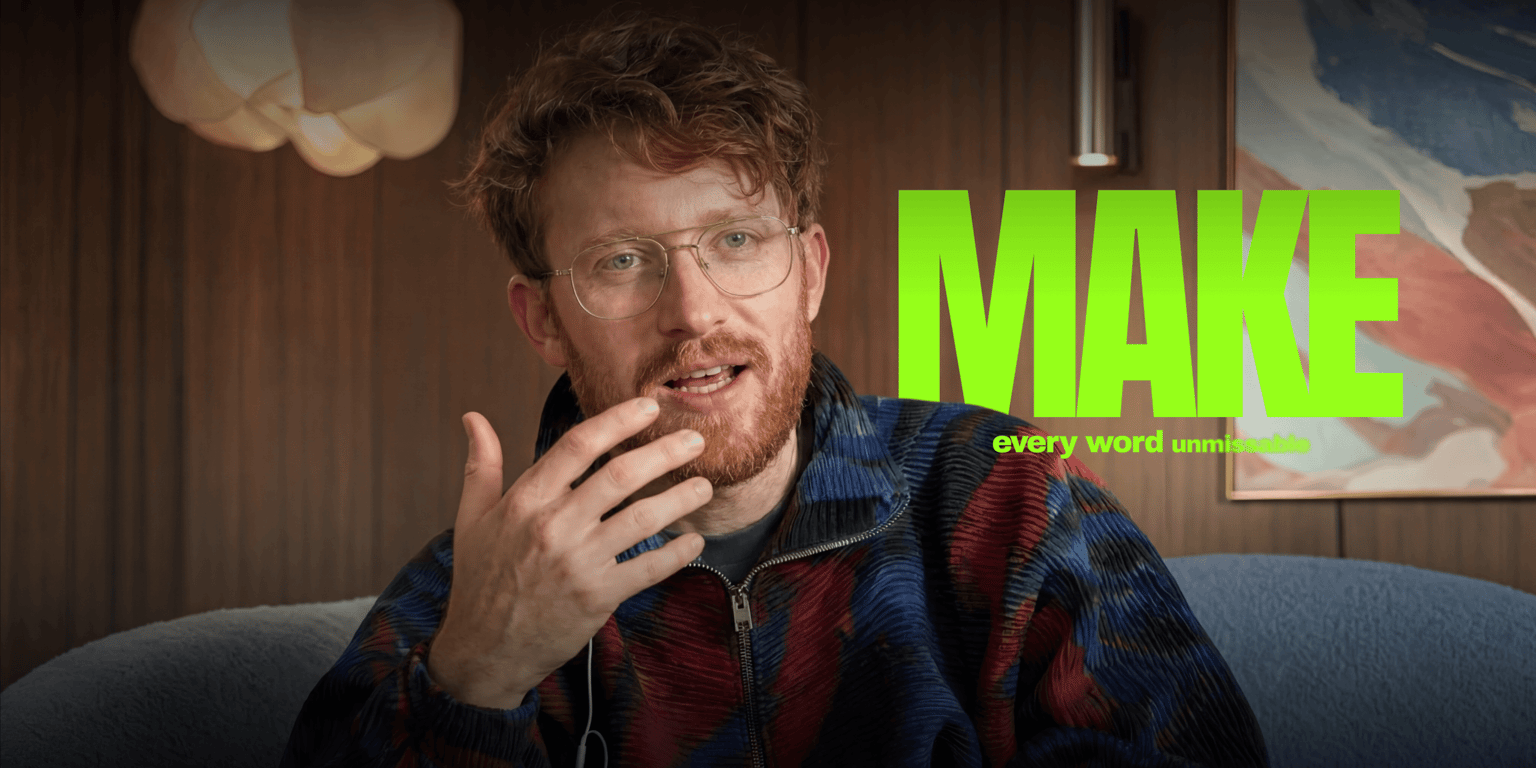


Trusted by 1M+ creators
Auto Subtitle Generator Online
Automatically generate subtitles to make your video accessible to all audiences
Video
4.6
2,100+ reviews















Create accessible content using our AI automatic subtitle generator
Adding subtitles to your video can be time-consuming. Our AI subtitle generator gets it done in minutes, with up to 99.9% accuracy. Burn or hardcode the subtitles into the video or download the subtitle file (SRT, VTT, and TXT). Our speech recognition software can also automatically transcribe your audio—perfect for meetings, interviews, and all business communications.
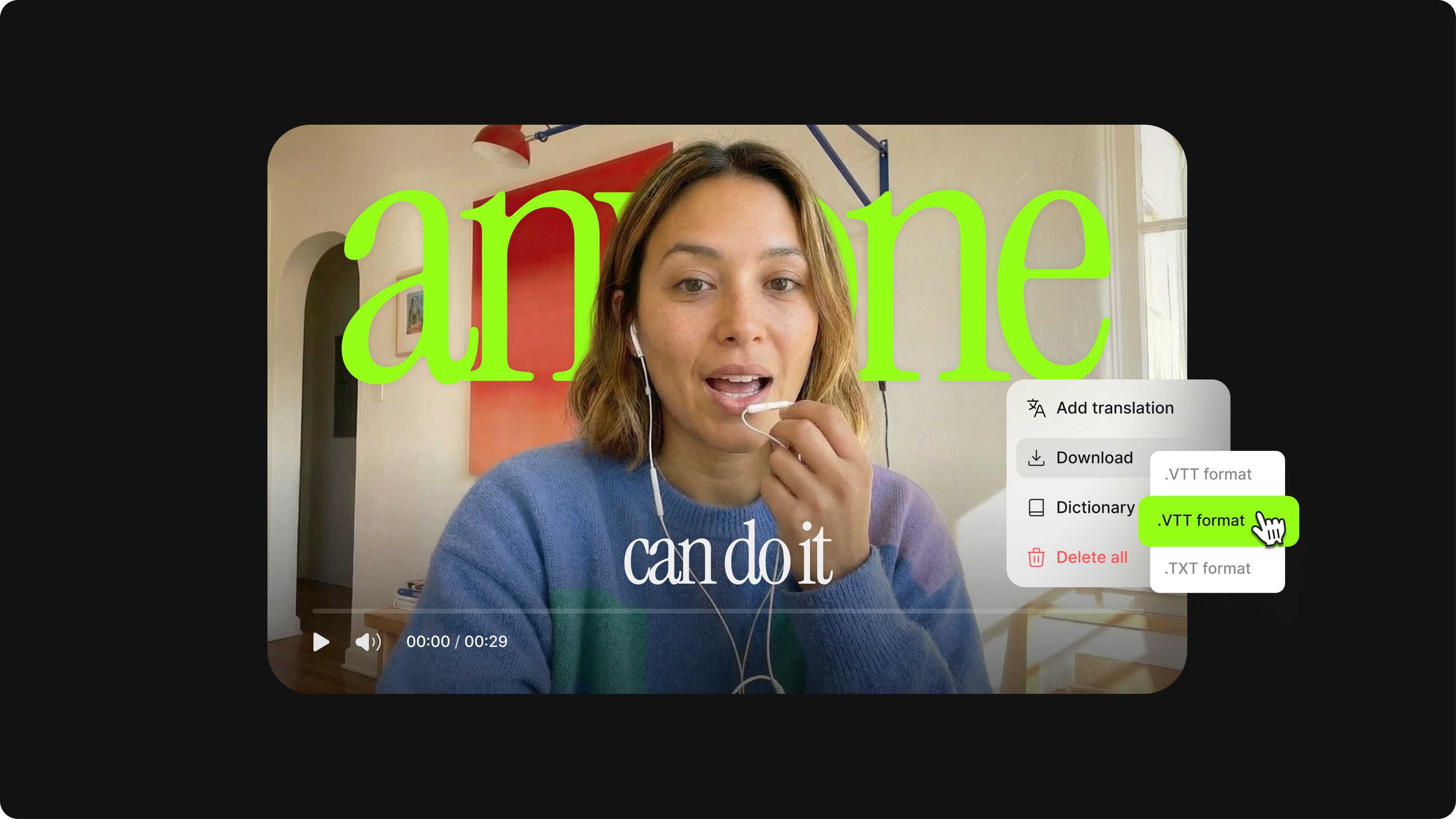
Subtitles help your videos stand out on crowded social feeds. Use our AI editor to create dynamic subtitles for video ads. The dynamic subtitles automatically emphasize key phrases — making them pop, pulse, or glide in sync with the spoken audio. And if you're creating for a global audience, you can translate your videos into multiple languages. Access our full suite of video creation tools to make professional content, minus the learning curve.
How to add subtitles to a video:
Step 01
Auto-generate subtitles
Select ‘Auto Subtitle’ from the subtitle tool, and the AI will start transcribing and automatically produce dynamic subtitles. You can also upload a subtitle file (or type your subtitles manually).
Step 02
Change subtitle styles, personalize, animate, and more
You can change your subtitles' style, font, and colors. Select from different animation styles and backgrounds. You can animate your subtitles and even highlight specific words.
Step 03
Export your video or download the subtitle file
Export your video with the hardcoded subtitles or download the subtitle file (SRT, VTT, or TXT).
Learn More
Watch this to learn more about our auto subtitle generator:
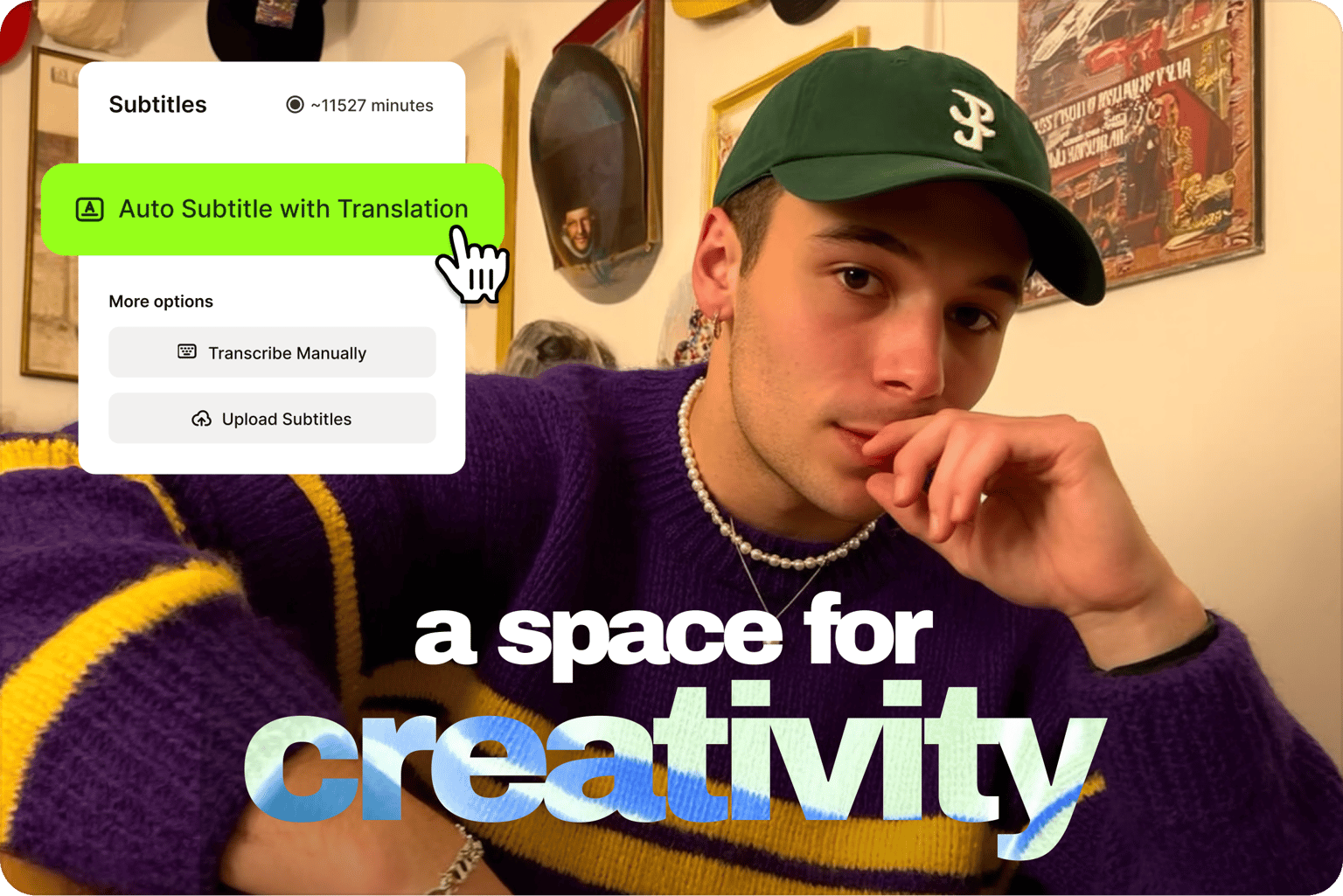
Create content that speaks to your market with a fast, accurate, and reliable subtitle tool
VEED is an AI video creation platform with subtitles built into the same workflow. The online subtitle editor lets you add subtitles to videos fast. For 100% accuracy, quickly edit captions for brand and industry-specific terms. Just click on a line and start typing. Focus on creating content that makes an impact, whether that’s a social video, a quick business video message, or a video ad. Spend less time on manual captioning and more time creating content that stands out.
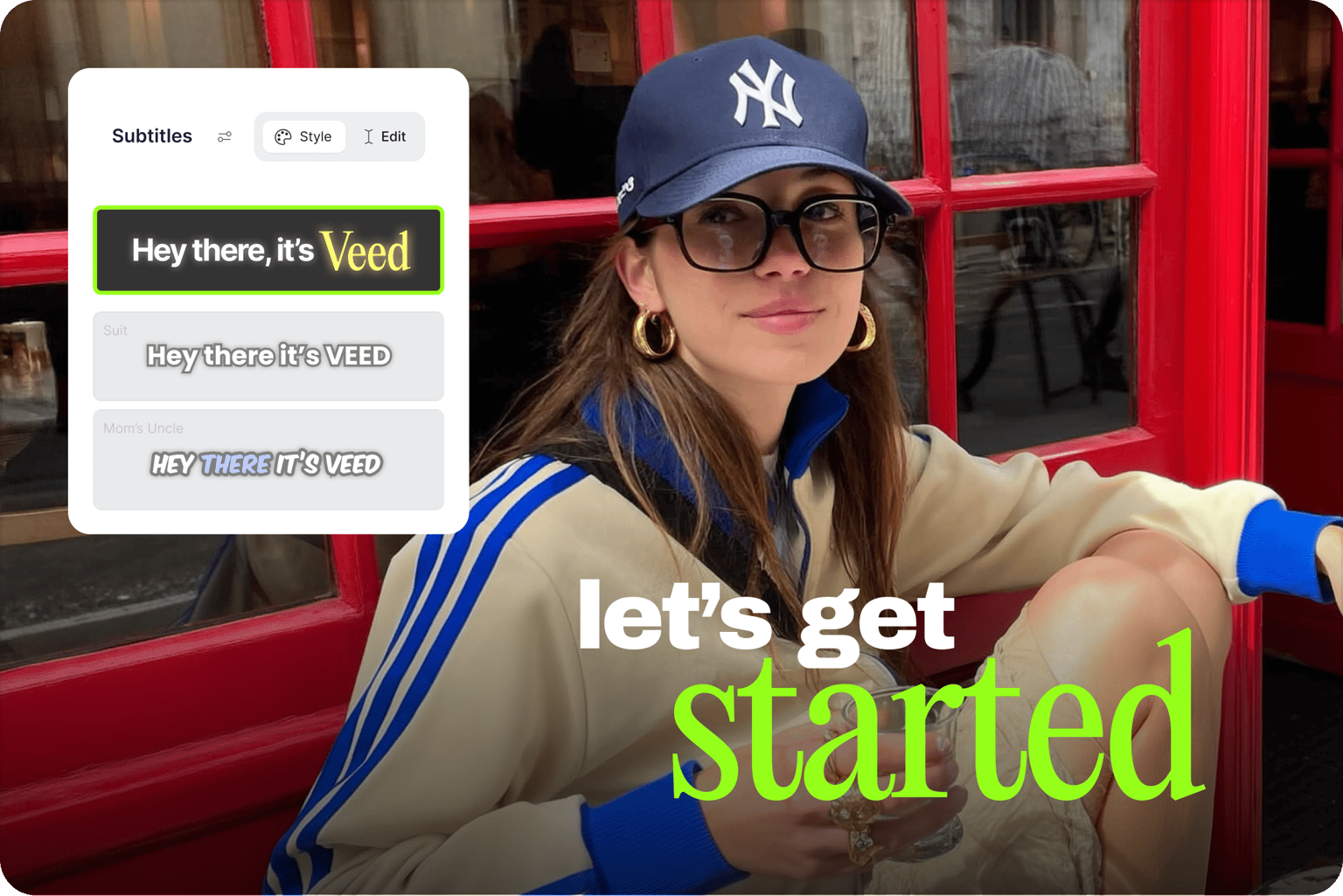
Auto-generate subtitles and choose the style that suits your branding
Create subtitle styles that look unmistakably yours, not like everyone else's video. Select from our different subtitle fonts, sizes, styles, and colors. Add eye-catching animations to subtitles — a box highlight, karaoke-style animation, or dynamic subtitles that move in sync with your spoken audio. You can also add your logo to a Brand Kit and save your video as a template to use in future projects. The AI auto-subtitle tool also lets you transcribe videos to text, perfect for creating blog posts and other written content.
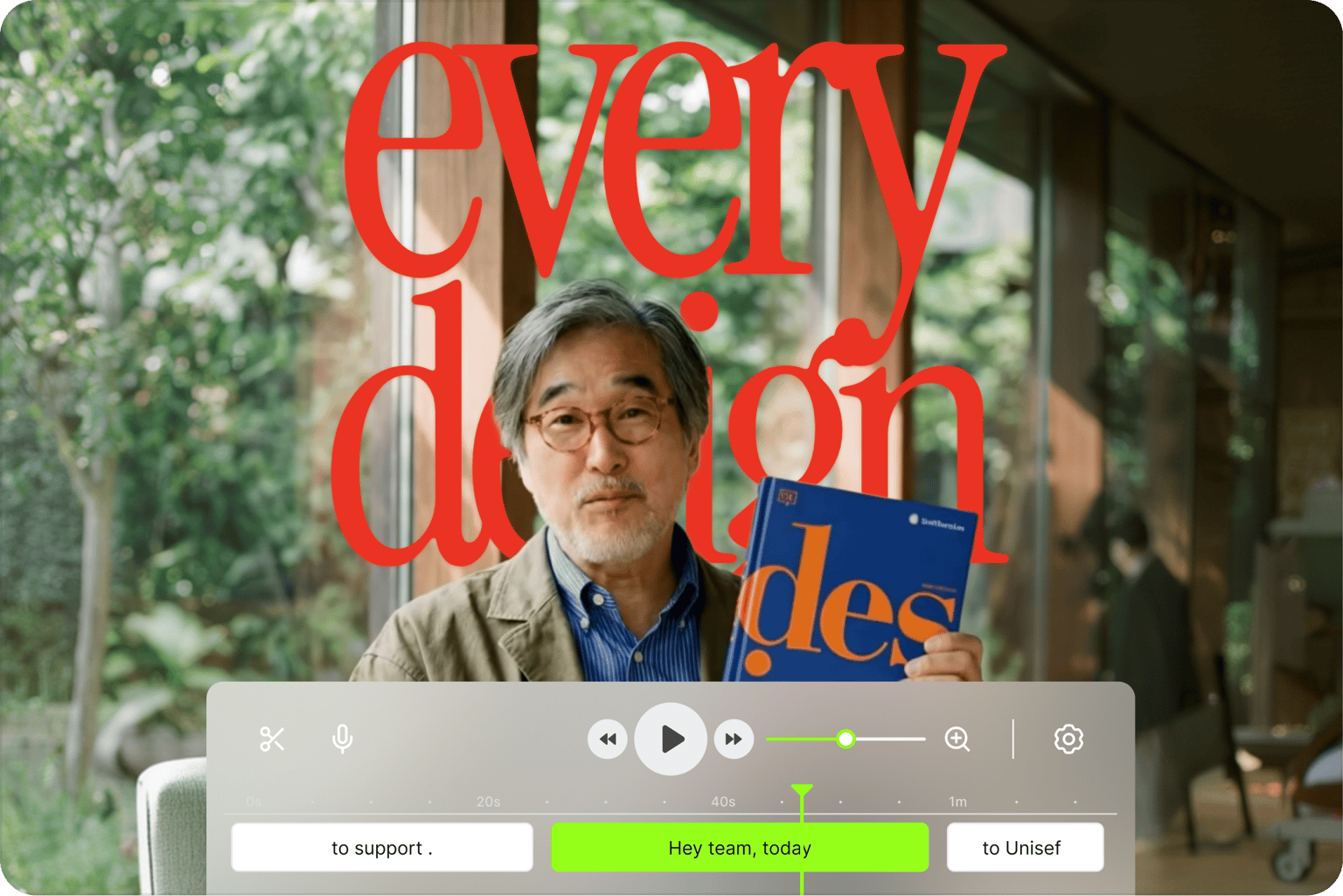
All the pro tools you need to grow your social media following
Around 85% of videos on mobile are watched without sound, which means captions are essential if you want your content to perform. A viewer may watch your video in a shared office, on the subway, or in loud areas and may be unable to watch any video without subtitles. VEED's AI subtitle generator and AI caption generator help you keep viewers engaged and grow your reach across platforms. Grab viewers' attention and get your message across with subtitles and professional-quality videos.
FAQ
To automatically add subtitles or captions to video:
- Upload your video to the editor and click on Subtitles in the left menu.
- Select “Auto Subtitle,” choose a language, and the AI will auto-generate the subtitles.
- Edit the subtitle style with the online subtitle editor, and you can “burn” or add the subs permanently to your video. You can also download the subtitle file.
For a step-by-step walkthrough, see our guide on how to add auto-subtitles to a video.
Yes. Upload any audio file: MP3, WAV, podcast recordings, interview audio, and voice memos. VEED will automatically transcribe and generate subtitles from the audio. It works the same way as video: select ‘Auto Subtitle,’ choose your language, and download the SRT, VTT, or TXT file when done.
The auto subtitle generator is free to start. Upgrade to a paid plan to subtitle longer videos and download subtitle files. A Creator plan starts at $20/month. Check our pricing page for more information.
In the subtitle editor, select the subtitle track and choose an animation style. Options include box highlights and dynamic subtitles that move in sync with your spoken audio — great for Reels, TikToks, and video ads. Click ‘Edit’ on a preset to adjust fonts, colors, and animation.
- Upload your video to VEED and select ‘Auto Subtitle’ to generate captions automatically.
- Choose a subtitle style — bold oversized text that fills the frame, karaoke-style highlights that light up each word as it's spoken, or dynamic subtitles that pulse and move in sync with your audio.
- Customize the font, color, size, and background until it looks the way you want.
- Upload your video to VEED.
- Select the clip and click the ‘Subtitles’ section. Choose the language being spoken and select ‘Add translation’ if needed.
- Generate subtitles, then click the settings > Download in the subtitles menu.
- Download the SRT file, or export the video with your subtitles burned in.
For teams embedding subtitles into their own apps or pipelines, check out our subtitles API.
- Subtitles transcribe spoken dialogue for viewers who prefer reading along or are watching in a different language.
- Closed captions go further. They also include non-verbal audio elements like [music playing] or [applause] for viewers who can't hear the audio at all. Closed captions can be switched on or off by the viewer.
See our full breakdown of the differences: Closed captioning vs subtitles.
VEED’s automatic subtitle translator generates and translates captions in one place:
- Upload your video and click the Subtitles menu.
- Select the language being spoken in your video.
- Toggle on 'Add Translation' and select your target language.
- Click 'Auto-subtitle with Translation' and VEED will generate and translate your subtitles automatically.
- Edit the text and adjust timing as needed before exporting.
Translate captions to Spanish, Japanese, Hindi, French, and many more languages. Try automatic translation for free, and upgrade to a Pro plan to keep using the tool.
If your video is in another language and you need English subtitles:
- Upload your video to VEED and click the Subtitles menu.
- Select the language being spoken in your video.
- Toggle on 'Add Translation' and select English as the target language.
- Click 'Auto-subtitle with Translation' to generate and translate your subtitles automatically.
- Edit the text and adjust timing as needed before exporting.
Create auto-captions for Instagram by generating subtitles and editing them to create captions. Upload the video you wish to post on Instagram, follow the above instructions to automatically generate subtitles, and then change the size or font to match your preferred style. Use our Preset Canvas Sizes to download your video in the best size for posting to Instagram.
Loved by creators.
Loved by the Fortune 500
“
With VEED I didn't need 15 tutorials - I jumped straight in and started editing.

Gwenne Wilcox
Founder,
Brand Brainery
“
You can go beyond choppping things. VEED actually makes my videos look great.

Michael Glover
Demand Gen Manager,
ConvertFlow
“
The first four videos i created with VEED got over 40,000 impressions on LinkedIn.

Travis Tyler
Senior Content Producer,
PandaDoc
“
I found VEED at the right time: if you're making UGC ads and not using Eye Contact Correction and Noise Reduction on VEED you're missing out on ROI.

Sebastian Schurgers
Head of Growth Marketing,
Gronda
“
With VEED I didn't need 15 tutorials - I jumped straight in and started editing.
Gwenne Wilcox
Founder,
Brand Brainery
“
You can go beyond choppping things. VEED actually makes my videos look great.
Michael Glover
Demand Gen Manager,
ConvertFlow
“
The first four videos i created with VEED got over 40,000 impressions on LinkedIn.
Travis Tyler
Senior Content Producer,
PandaDoc
“
I found VEED at the right time: if you're making UGC ads and not using Eye Contact Correction and Noise Reduction on VEED you're missing out on ROI.
Sebastian Schurgers
Head of Growth Marketing,
Gronda
“
The first four videos i created with VEED got over 40,000 impressions on LinkedIn.
Travis Tyler
Senior Content Producer,
PandaDoc
“
I found VEED at the right time: if you're making UGC ads and not using Eye Contact Correction and Noise Reduction on VEED you're missing out on ROI.
Sebastian Schurgers
Head of Growth Marketing,
Gronda
“
With VEED I didn't need 15 tutorials - I jumped straight in and started editing.
Gwenne Wilcox
Founder,
Brand Brainery
“
You can go beyond choppping things. VEED actually makes my videos look great.
Michael Glover
Demand Gen Manager,
ConvertFlow
Discover more
- AI Caption Generator
- AI Captioning
- Bangla Subtitles
- Bengali Subtitles
- Chinese Subtitles
- Closed Captioning Software
- Czech Subtitles
- Danish Subtitles
- Dynamic Subtitles
- English Subtitles
- Finnish Subtitles
- French Subtitles
- German Subtitles
- Greek Subtitles
- Hebrew Subtitles
- Hindi Subtitles
- Hungarian Subtitles
- Indonesian Subtitles
- Italian Subtitles
- Japanese Subtitles
- Korean Subtitles
- Malayalam Subtitles
- Norwegian Subtitling
- Polish Subtitles
- Punjabi Caption
- Romanian Subtitles
- Russian Subtitles
- Spanish Subtitles
- SRT File Creator
- Subtitles Arabic
- Subtitles Dutch
- Subtitles Marathi
- Subtitles Persian
- Subtitles Portuguese
- Tagalog Subtitling
- Tamil Subtitles
- Telugu Subtitles
- Thai Subtitles
- Turkish Subtitles
- Ukrainian Subtitles
- Urdu Subtitles
- Video Captioning Services
- Video Subtitling Services
- Vietnamese Subtitles
- VTT Creator
Explore related tools
More from VEED
12 Best Subtitle Fonts for Video Editing (Free and Paid Options)
Want videos that are more engaging because they're easier to follow along? Here's 12 of the best free and paid subtitle fonts for better video content.

How to Hardcode Subtitles with VEED
A lot of social media platforms don't actually allow you to upload SRT files with your videos. This is where hard coded subtitles comes in.
What is an SRT File? How to Create & Upload SRT Files [Complete Guide]
This article covers how to create an SRT subtitle file from video, audio, or text
Trusted by 1M+ creators
When it comes to amazing videos, all you need is VEED
No credit card required

More than an auto subtitle generator
VEED is more than a caption adder and subtitle editor. It’s an AI video creation platform where you can generate videos with AI, clean your audio, remove distracting backgrounds, and repurpose content — all without switching tools. Start with auto subtitles and take your content further with VEED. Built for marketers who need to produce social videos at scale. Sign up now to start creating. Download the VEED mobile app on iOS.